
One-click capture
Save from LinkedIn, Greenhouse, Lever, Indeed, Ashby, Workday, and more. Job details pre-fill when you open the popup.
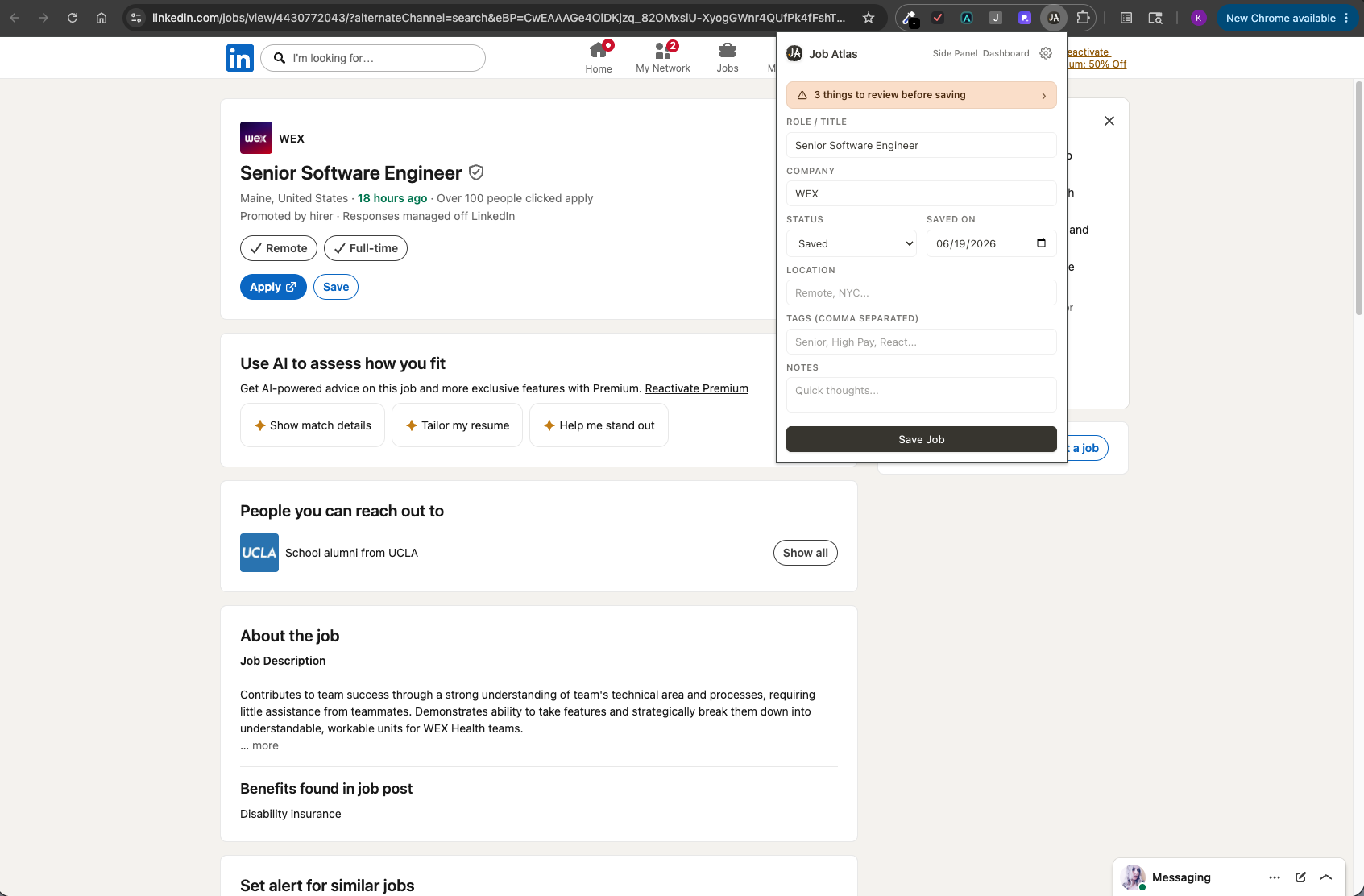
Job Atlas is a Notion-inspired Chrome extension that saves job postings from any career page and organizes your search in a calm, private pipeline.
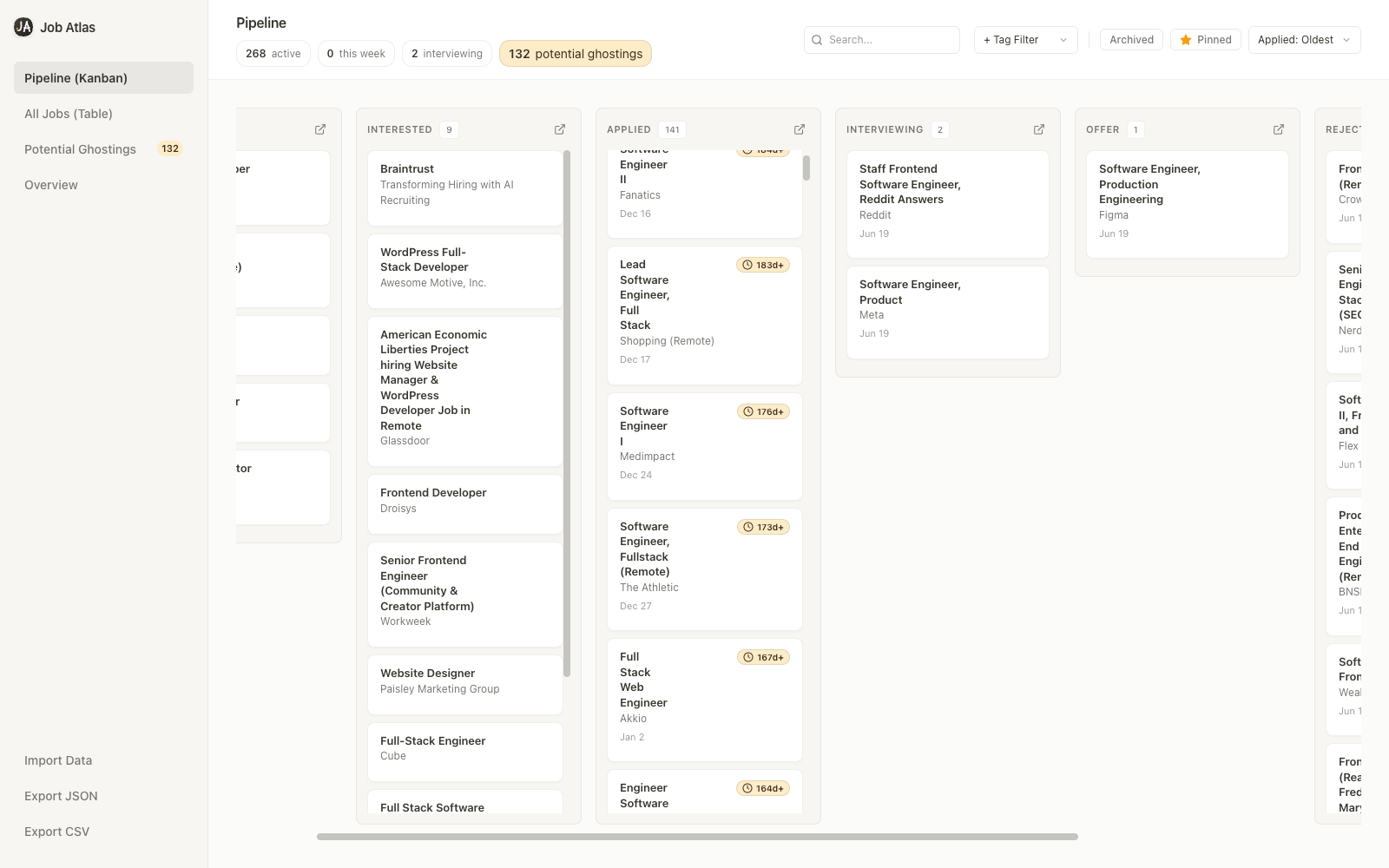
A calm pipeline for active job seekers — without spreadsheets, accounts, or cloud sync.
Save from LinkedIn, Greenhouse, Lever, Indeed, Ashby, Workday, and more. Job details pre-fill when you open the popup.
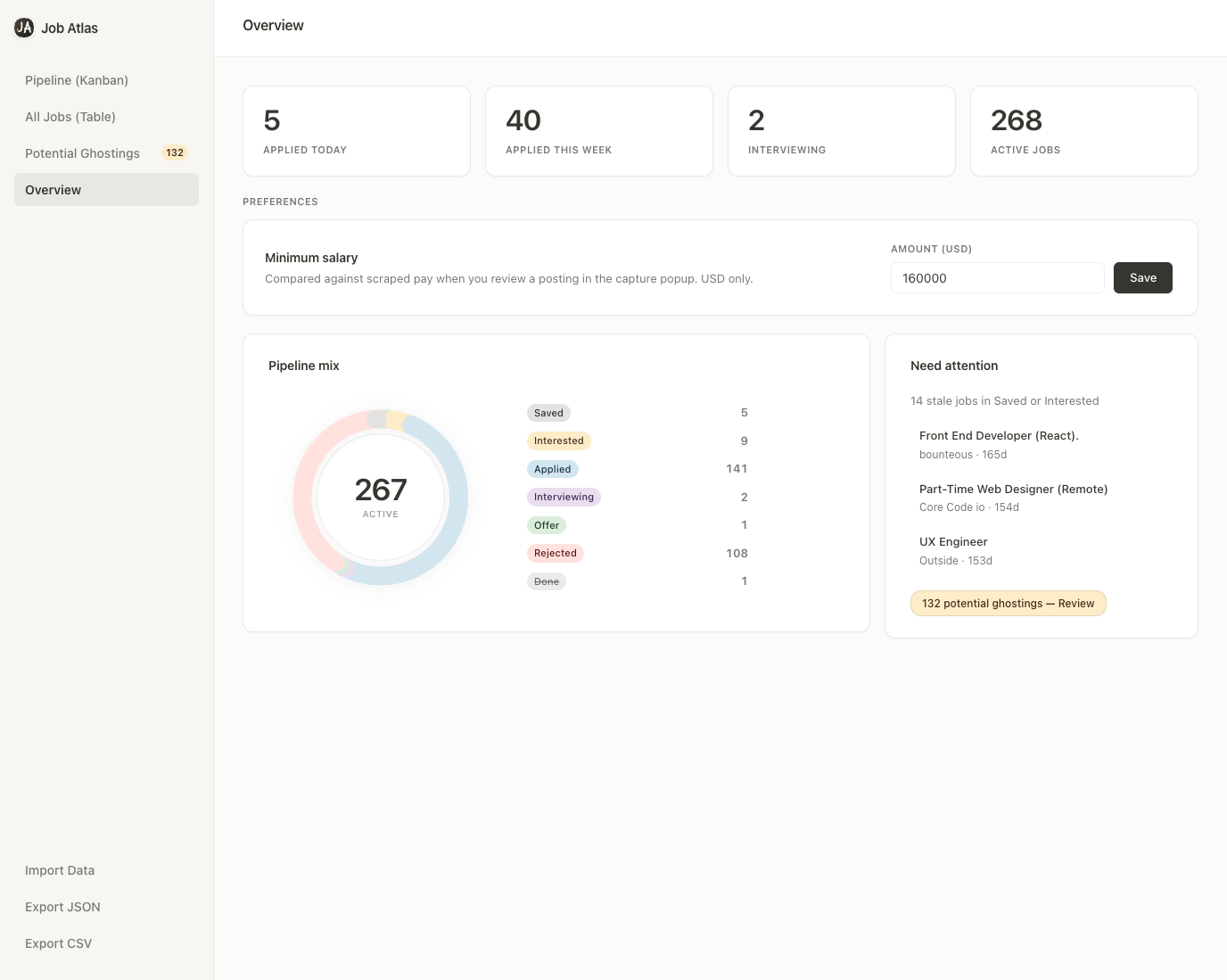
KPI cards and a pipeline mix chart show where your search stands — applied this week, interviewing, and status distribution at a glance.
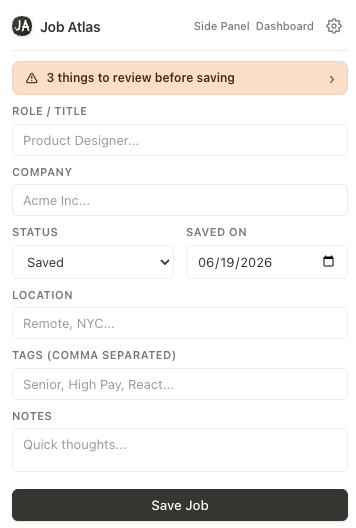
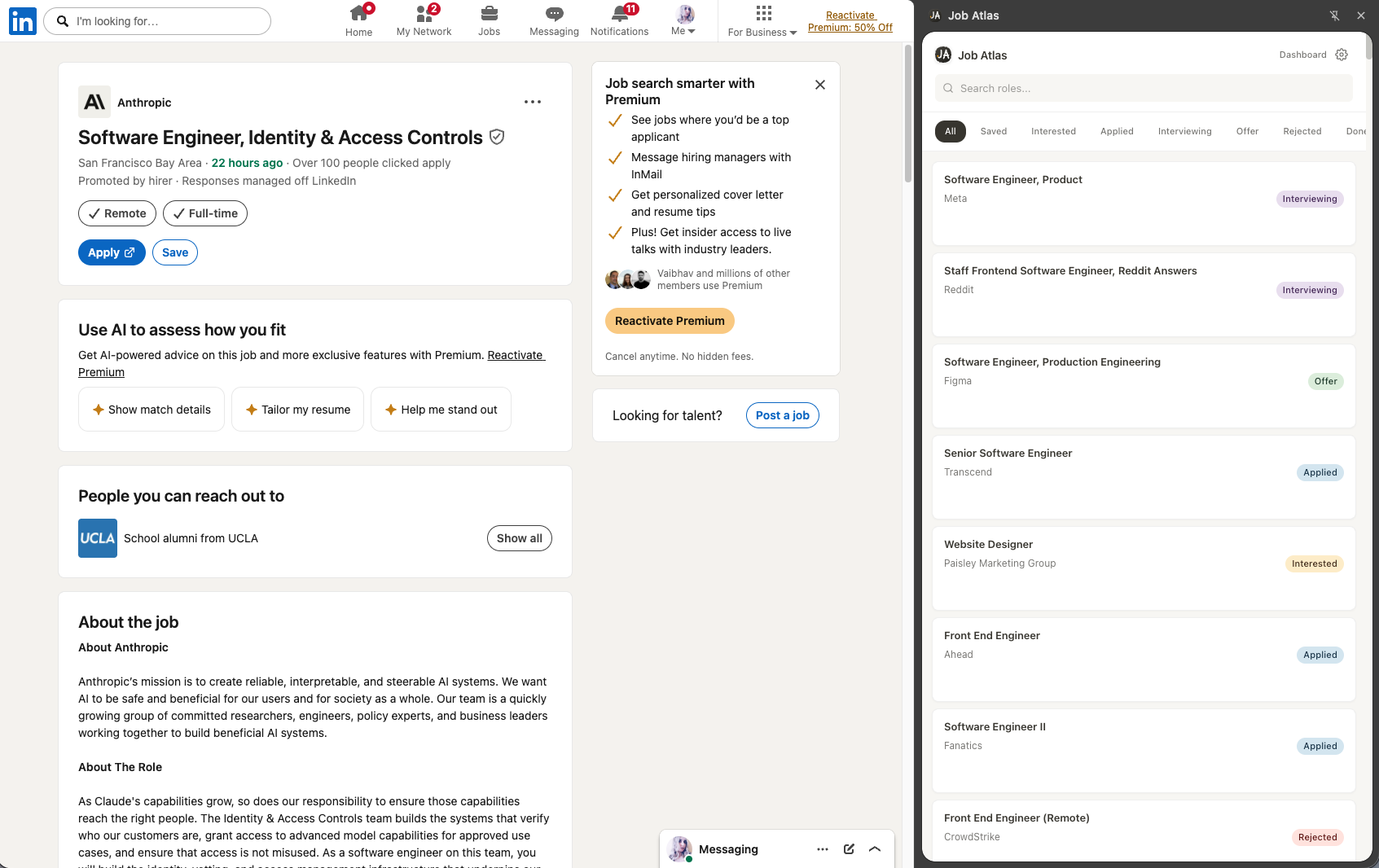
Keep your pipeline visible while browsing. Search and filter without leaving the page you're on.
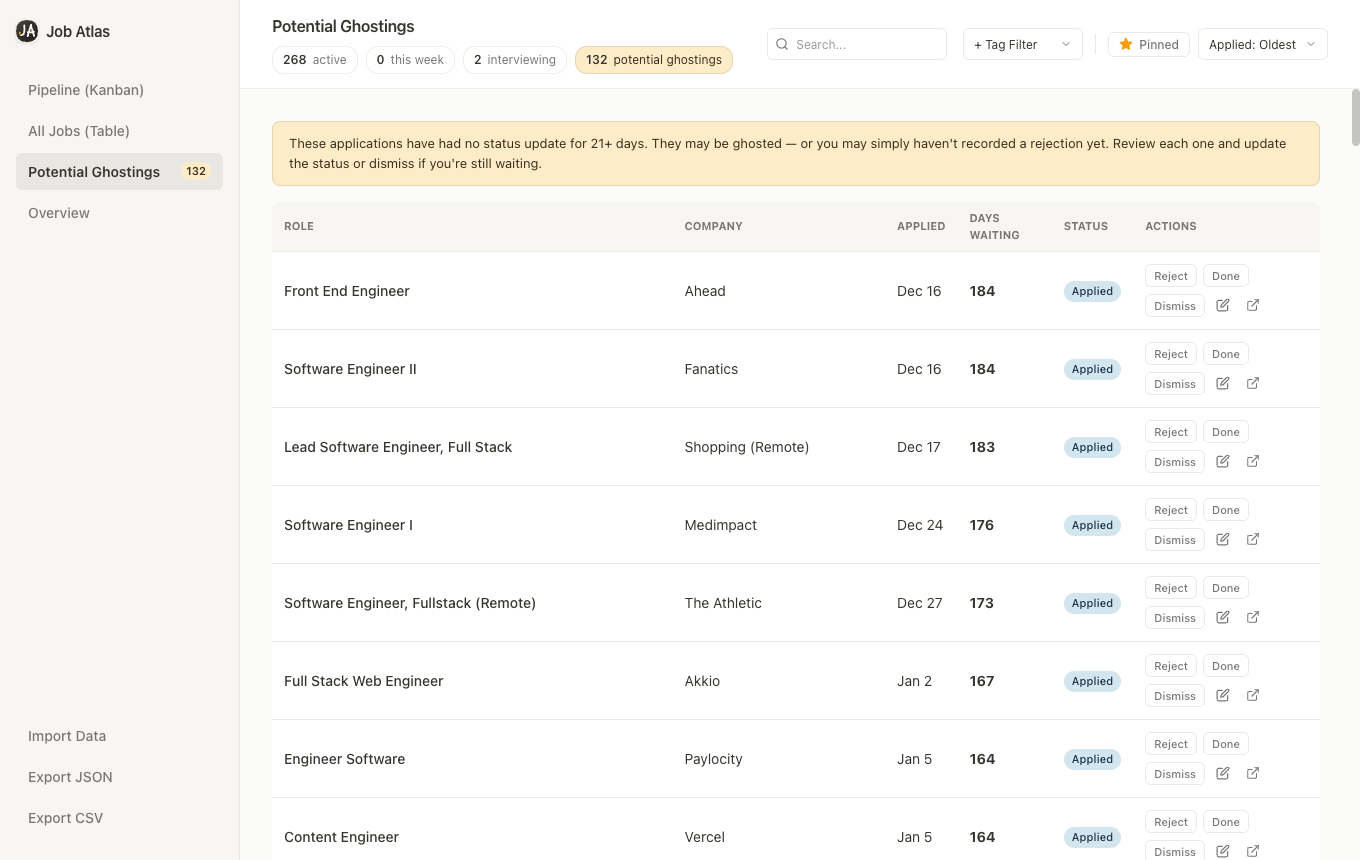
Spot applications with no update in 21+ days. Review, reject, mark done, or dismiss — so stale applications never hide in your pipeline.
Back up your data as JSON or Excel-friendly CSV anytime. Import existing lists when switching tools.
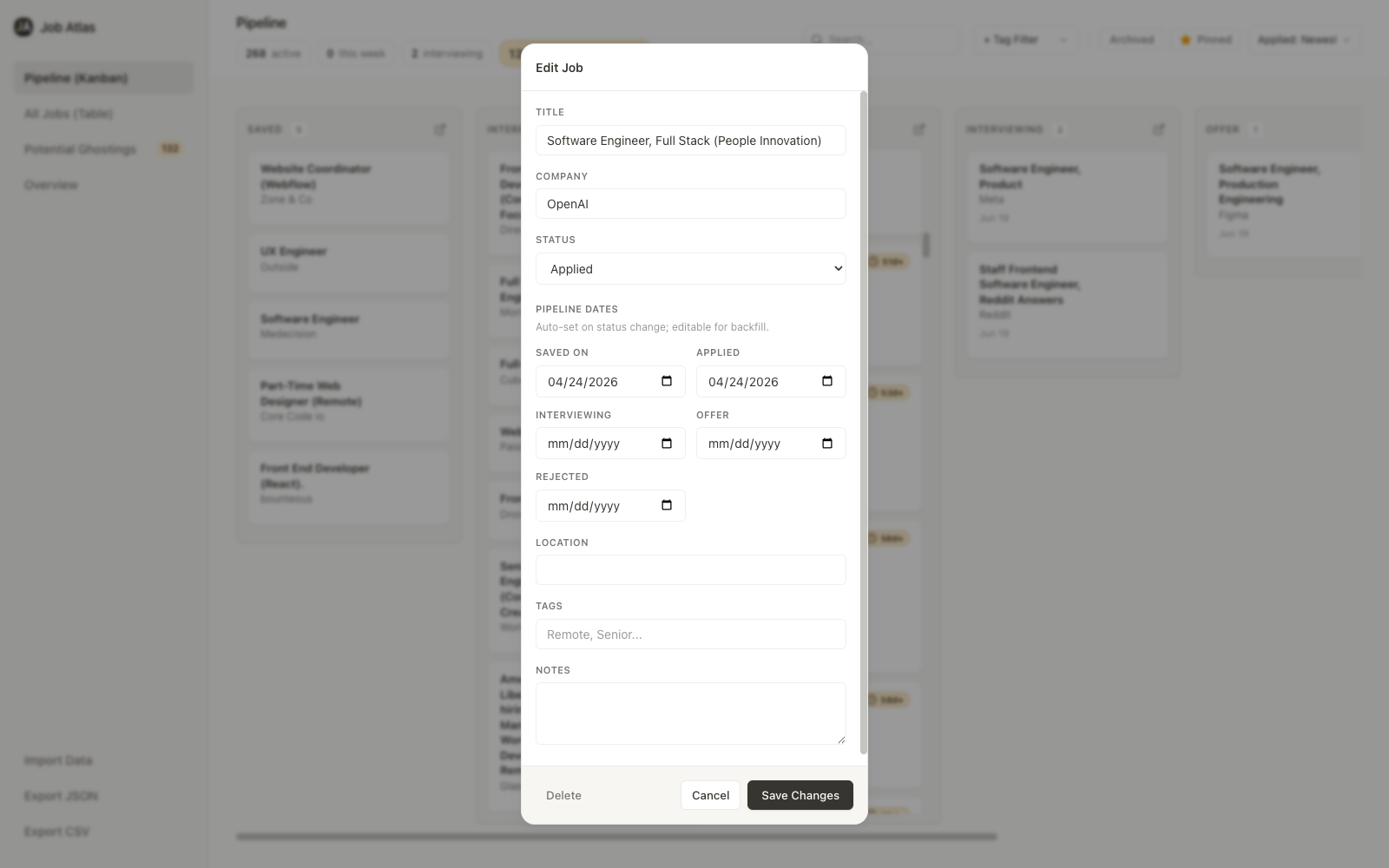
Applied, interviewing, and offer dates auto-set on status change. Edit manually to backfill your history.
Job Atlas stores everything in Chrome's local storage. No account, no cloud sync, and no data sent to external servers from the extension.
Job Atlas fits into the way you already browse — no new app to learn.
Visit any job page on LinkedIn, Greenhouse, Lever, or your company's careers site.
Job Atlas reads the current page to pre-fill title, company, and location. Review, add tags or notes, and save.
Move jobs through your pipeline in kanban or table view. Export backups anytime.
Kanban in the hero — then table density, milestone backfill, and your quick-reference list.
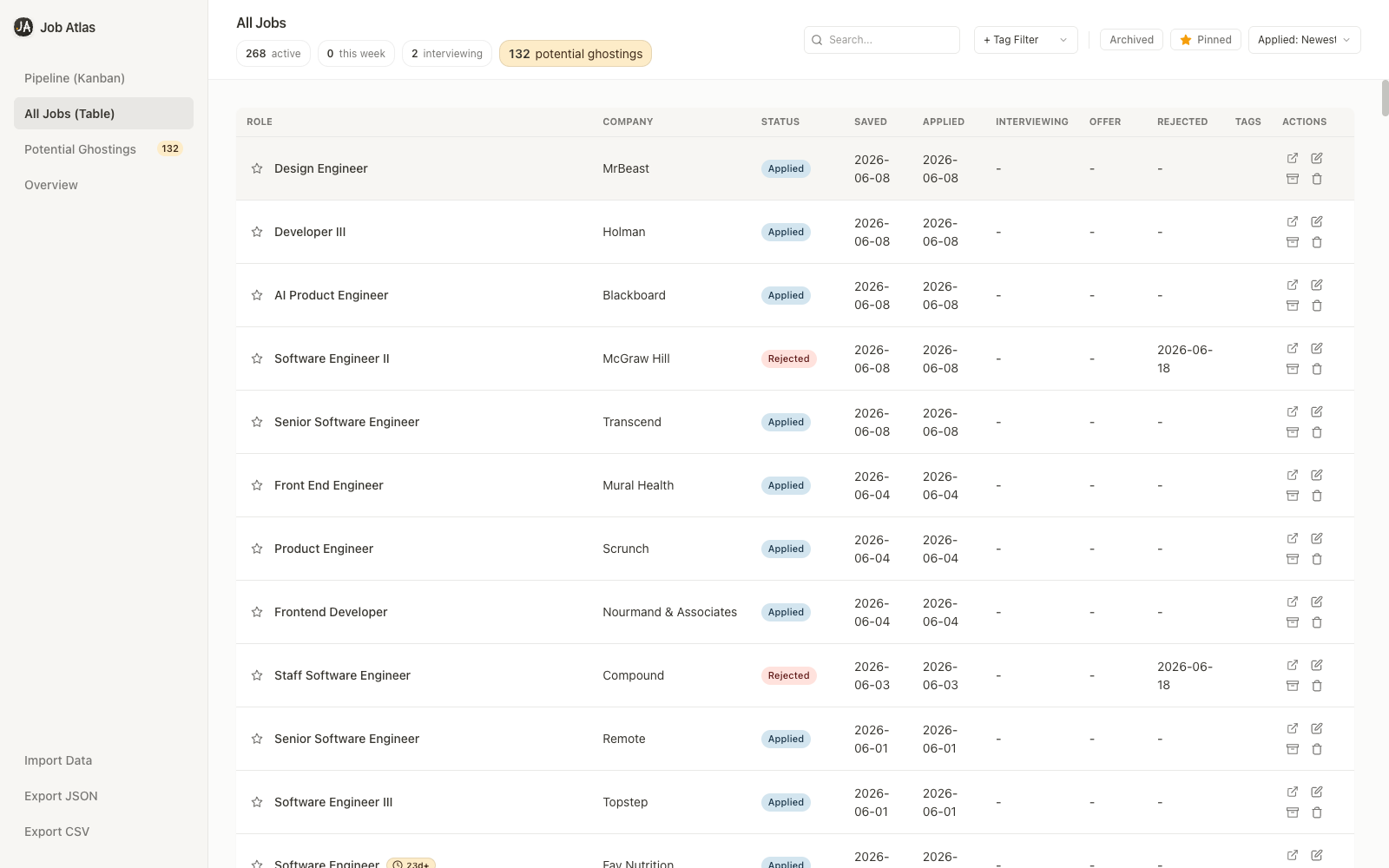
Sort, search, filter by tags, and scan milestone dates across your full pipeline.
Applied, interviewing, and offer dates auto-set on status change — editable when you need to backfill.
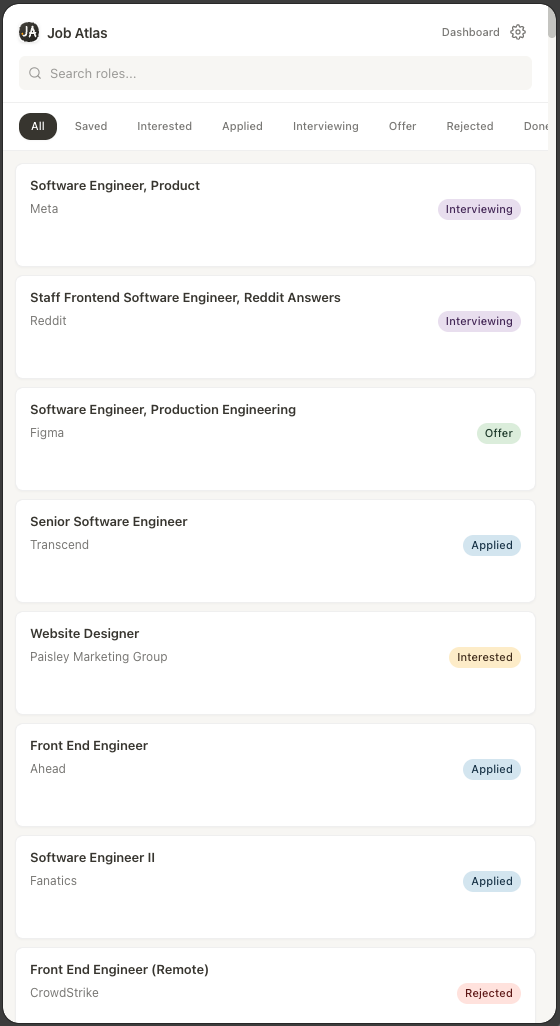
Filter by status and jump back to any role without opening the full dashboard.
Install Job Atlas from the Chrome Web Store and start capturing jobs in one click.
Add to Chrome — Free